2. Gift progress widget: what buyers see on the thank-you and order status pages
What the gift progress widget shows buyers after a multi-gift checkout, how to add it in Shopify, and where to change its wording or turn it off.
Written By Giftnote Team
Last updated About 1 hour ago
Gift progress widget
After a Multi-Gift order is placed, buyers see a live gift progress widget (also called the gift tracker):
On the Thank-You page, immediately after checkout completes.
On the Order Status page, if the buyer returns to check on their order later.
The block shows the order's current status (for example Processing or Sent), how many recipients it has, and a View order button. It always shows the real status from Giftnote, so it's right whether the buyer looks seconds or days after ordering.
Add the widget
The widget is two blocks, both called Multi Gift Progress: one for the Thank you page and one for the Order status page. Add each one:
In the Giftnote app, go to Settings → Multi Gifts and, in the Widgets card, select Edit in checkout next to Gift progress. (Or in Shopify, go to Settings › Checkout and select Customize.)
Use the page menu at the top to open Thank you.
Select Add block and choose Multi Gift Progress (under Giftnote: Engine for Gifting). Drag it to where you want it, usually under the confirmation heading.
Switch the page menu to Order status and add Multi Gift Progress there too.
Select Save.
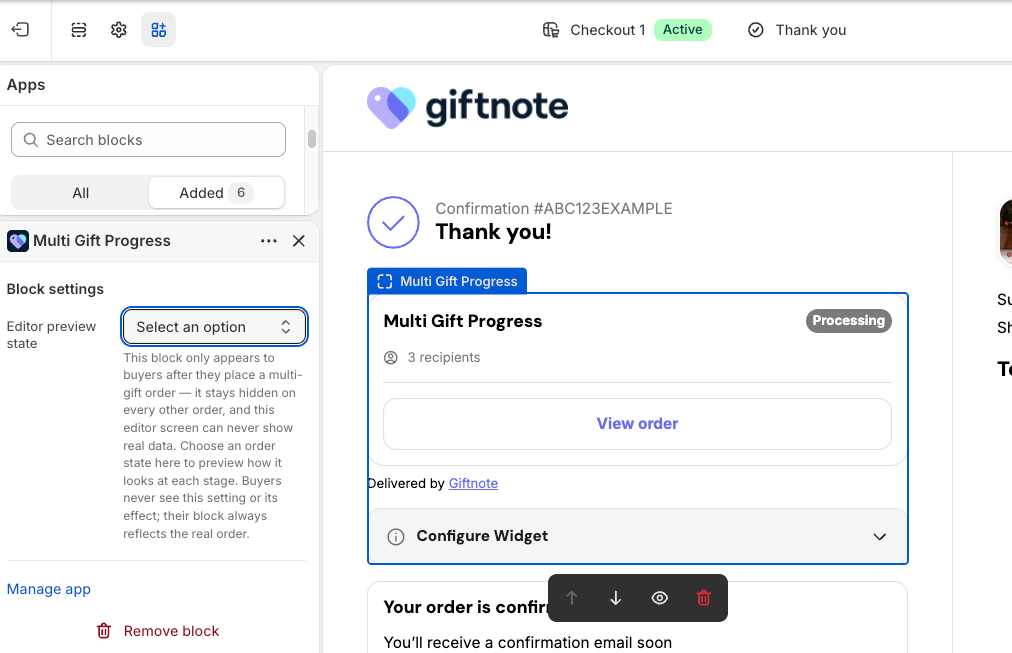
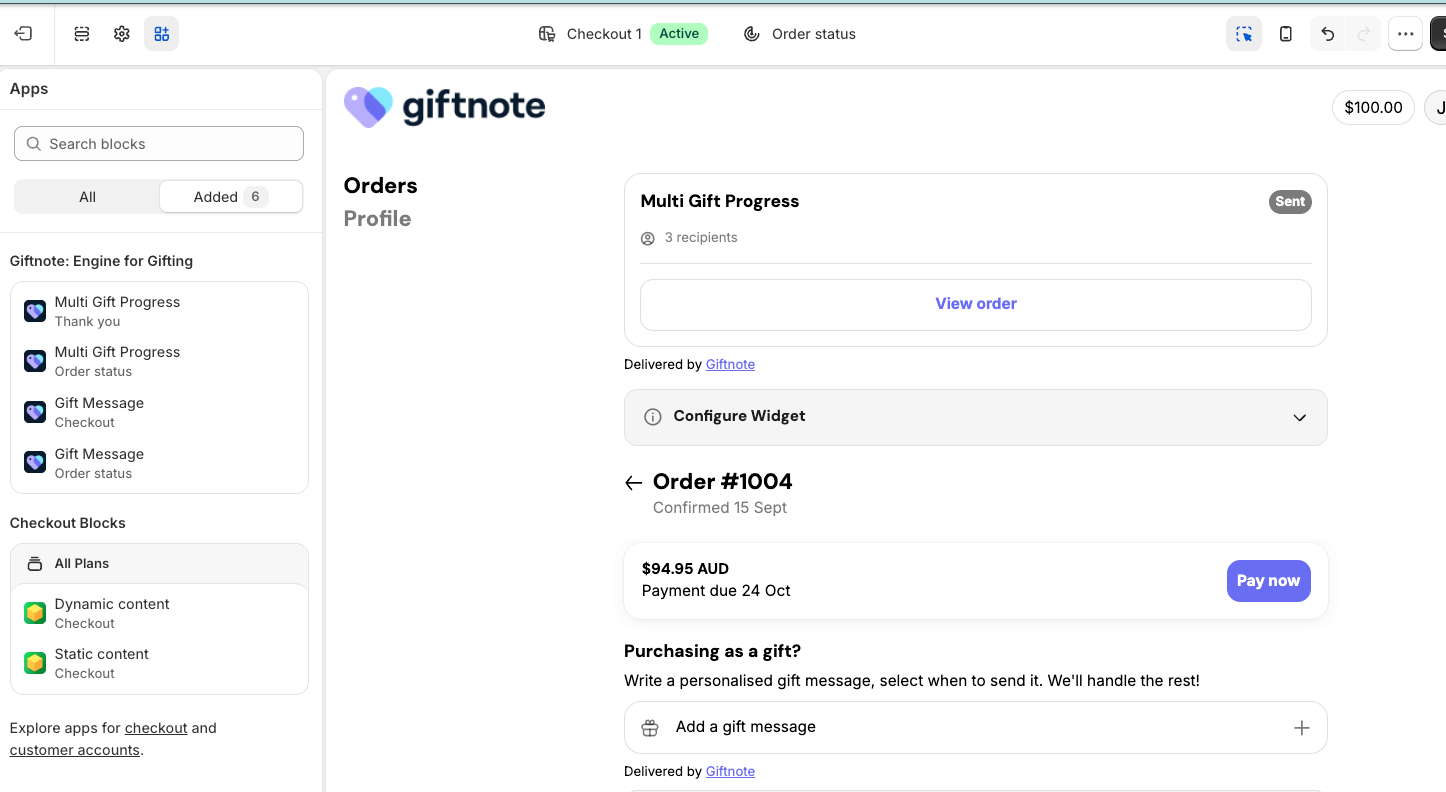
The block only appears to buyers on multi-gift orders. It stays hidden on every other order. The editor can't show real data, so the block's one setting, Editor preview state, lets you preview how it looks at each stage. Buyers never see this setting.
Change the wording
Go to Giftnote → Settings → Multi Gifts. In the Widgets card, select Configure next to Gift progress. The status next to it shows whether the block is Active on your checkout.
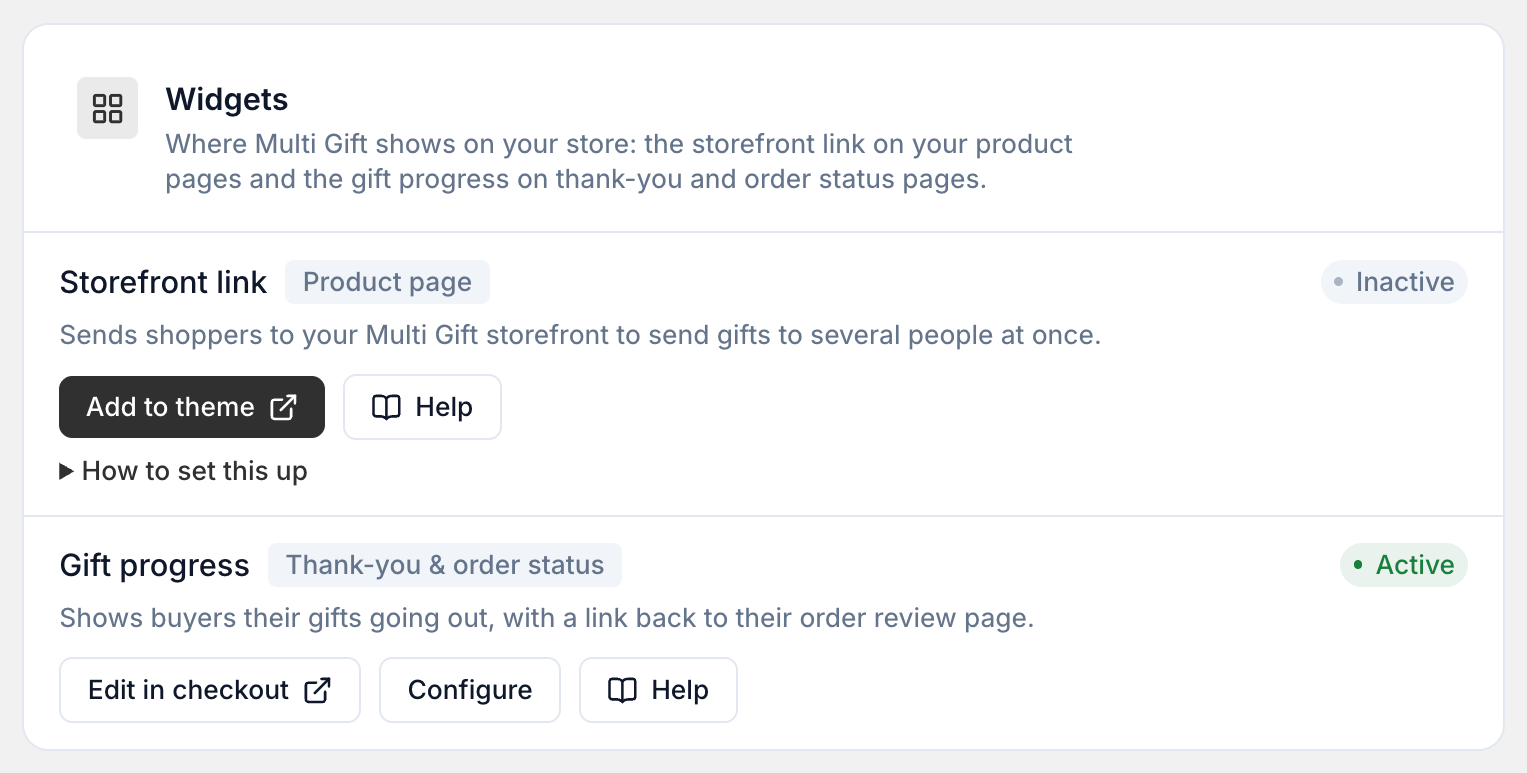
There are separate boxes for the Thank-you page and the Order status page:
Heading — leave empty to use wording that changes with the order's progress.
Message — leave empty to show a live count of how many gifts have gone out.
Footer
To hide the widget, turn off Show the gift tracker to buyers. It disappears from both the thank-you page and the order page. The gifts still send.