Gift Card Expiration
Written By Giftnote Admin
Last updated About 10 hours ago
Heads up — Giftnote v3 is here and the app looks different. We have just launched a completely new interface, so some screenshots and menu names in this article are still from the old version. We are updating the help docs over the next few days. In the meantime, if you get stuck, email support@giftnote.com and we will help you out.
By default, Giftnote gift cards do not expire. This can be changed globally within the app, by setting a default expiration timeframe for all future gift cards created by Giftnote.
Setting an Expiration time
Starting from the Giftnote backend, select the ‘Settings’ option from either the top or left navigation.
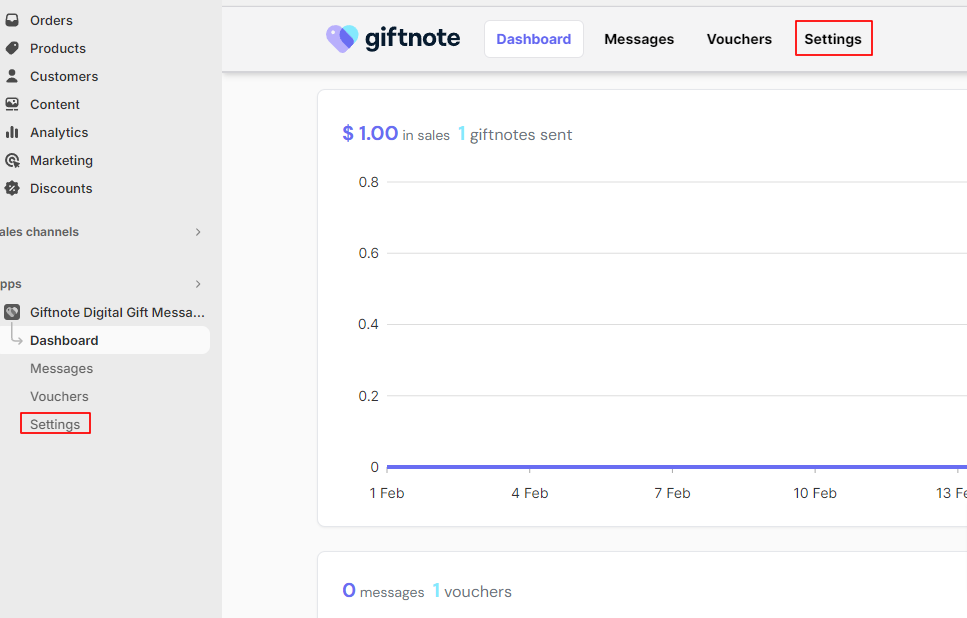
Select the access the gift card section of the settings via the link at the top or by scrolling down

Enter the months until expiry in its respective field with 0 as having no expiry timeframe. Select Save to the right of the field to finalise the changes.
