Inspired donation gift pilot: onboarding
How the Inspired donation gift pilot works, examples, your to-do list, and what happens after the pilot.
Written By Giftnote Team
Last updated About 1 month ago
About the pilot
Giftnote is running a pilot with Inspired and a small group of US merchants. When a shopper adds a gift message, their gift recipient gets a free $10 donation gift to a cause they choose.
Donor sponsors fund the donation gifts through Inspired, so there's no cost to you, your customers or your gift recipients. We want to see whether the donation gift gets more shoppers to add a gift message.
How it works
- Your gift message button and form show: "your recipient gets a free $10 donation gift to a cause they choose."
- The shopper adds a gift message and checks out as normal.
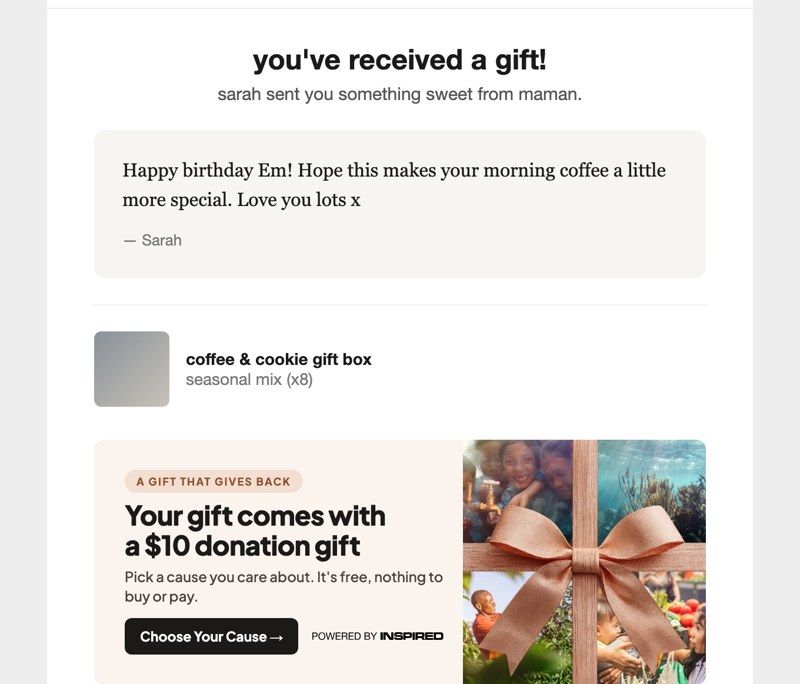
- Your recipient gets their gift message email as normal, with a "Choose Your Cause" banner added.
- They pick a cause on Inspired's page, which reads "A gift from [your store]", and the donation gift is sent.
Examples
Where the copy goes depends on where your gift message widget sits. We only change wording on your site. We don't add logos or new elements.
If your widget is at checkout
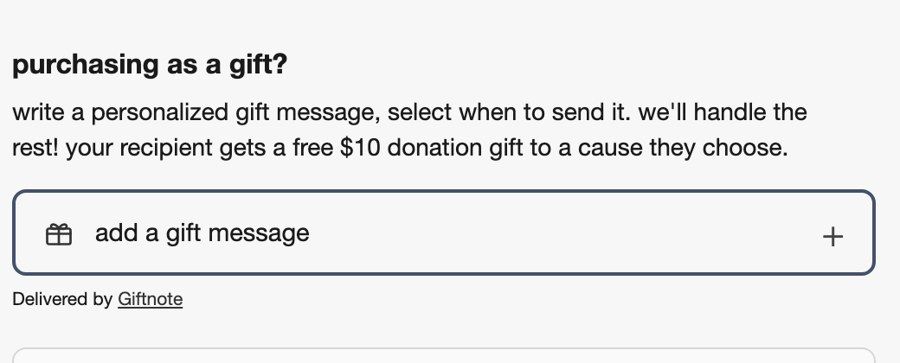
Checkout widget: one line added to your existing gift message copy.
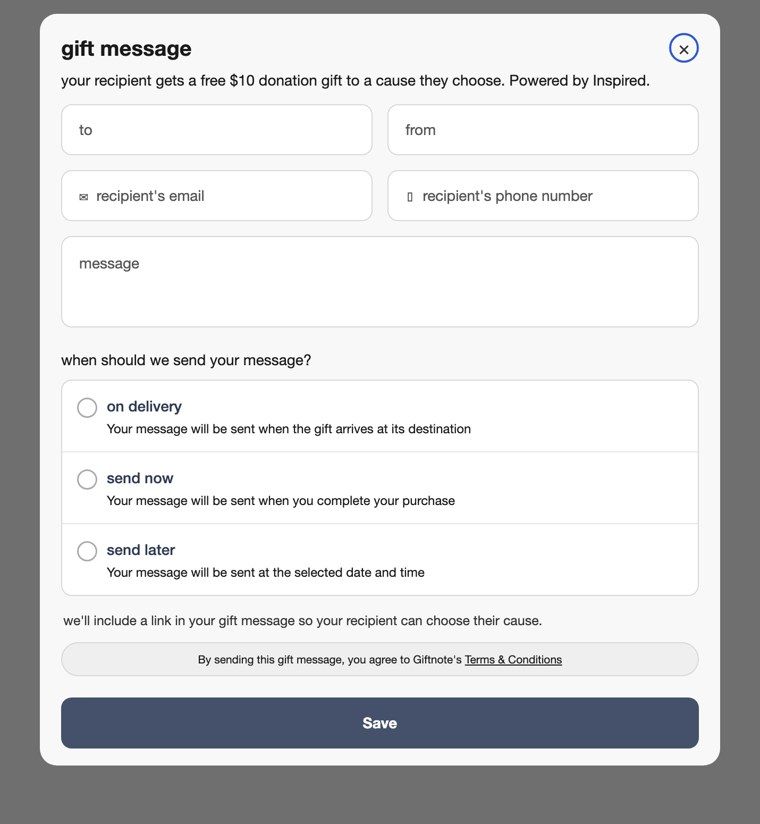
Gift message form: a line under the form title, and a short note explaining that the recipient will get a link.
If your widget is on the product page, cart page or cart drawer
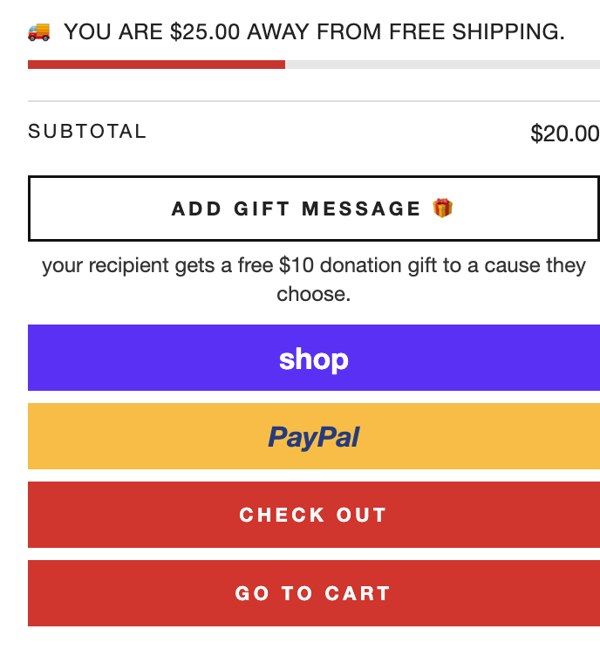
Gift message button: one line added under your existing button.
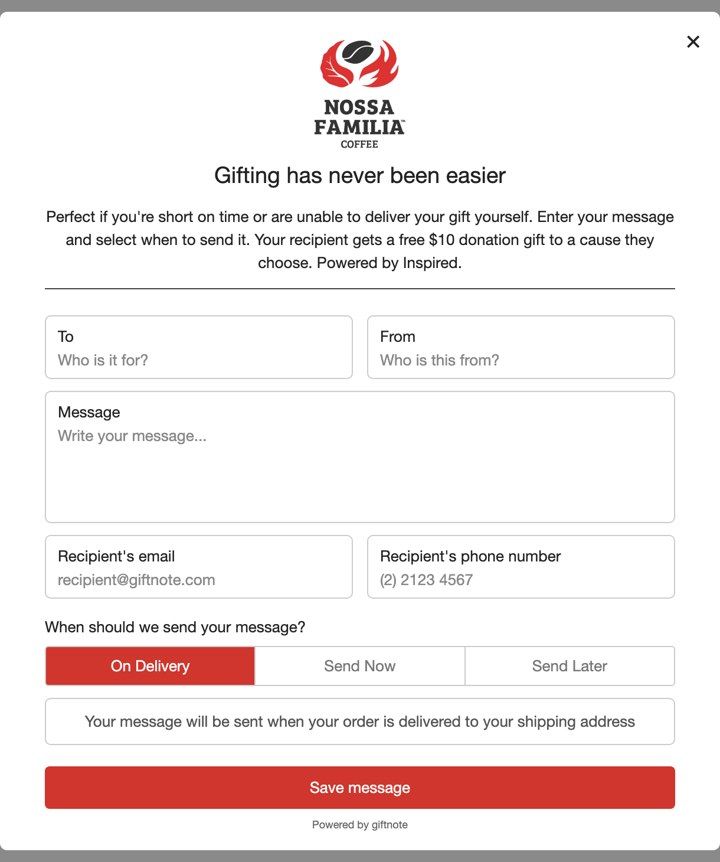
Gift message pop-up: one sentence added to the end of your existing description.
Recipient email
One banner added to the gift message email your recipient already gets. The whole banner links to the cause selection page.
The pilot process
Setup (mid–late September)
- We send you a Shopify collaborator request (plus a Klaviyo request if your gift emails send through Klaviyo).
- We add the copy and email banner, then send you a mock-up.
Go live (late September)
- Once you approve, we test everything and switch it on. We'll confirm the date with you.
Pilot runs (about 4 weeks)
- We compare the share of orders with a gift message against the 4 weeks before launch.
Results (early November)
- We share your results: the change in gift message orders and how many recipients sent a donation gift.
Your to-do list
- Approve our access request when it arrives.
- Approve your mock-up, or reply with tweaks.
- Hold changes during the pilot. Please don't change your gift message widget or gift message email until the results are in, so the comparison stays fair.
After the pilot
- You choose whether to keep it. If it works, you can keep the donation gift running into the holiday season. If not, we remove it and put your previous setup back.
- Phase two. Depending on results, we plan to offer a donation gift to the shopper sending the gift as well. Pilot merchants will be first to hear.
- No surprises. Nothing changes on your Giftnote plan without talking to you first.
- Access. Once setup is done, you can remove our collaborator access any time from Settings → Users.
Good to know
- Don't describe it as your brand donating. Say recipients "get a free donation gift to a cause they choose".
- Don't name specific charities or post public announcements without checking with us first.
- You can switch it off any time during the pilot. Let us know and we'll do it.
Questions? Email nick@giftnote.com.
Related articles
Was this helpful?
Still need help? Share an idea