Your new home in Shopify admin
Written By Giftnote Team
Last updated 17 minutes ago
Your new home in Shopify admin
In v2, Giftnote opened inside Shopify admin but ran its own dashboard with its own tab bar (Dashboard, Messages, Gift Cards, Multi Gifts, Analytics, Settings). In v3, it's rebuilt as a native Shopify admin app: its pages sit in Shopify's own sidebar under Giftnote — Gift Orders, Gift Cards, Multi Gifts, Analytics and Settings.
Your Home page
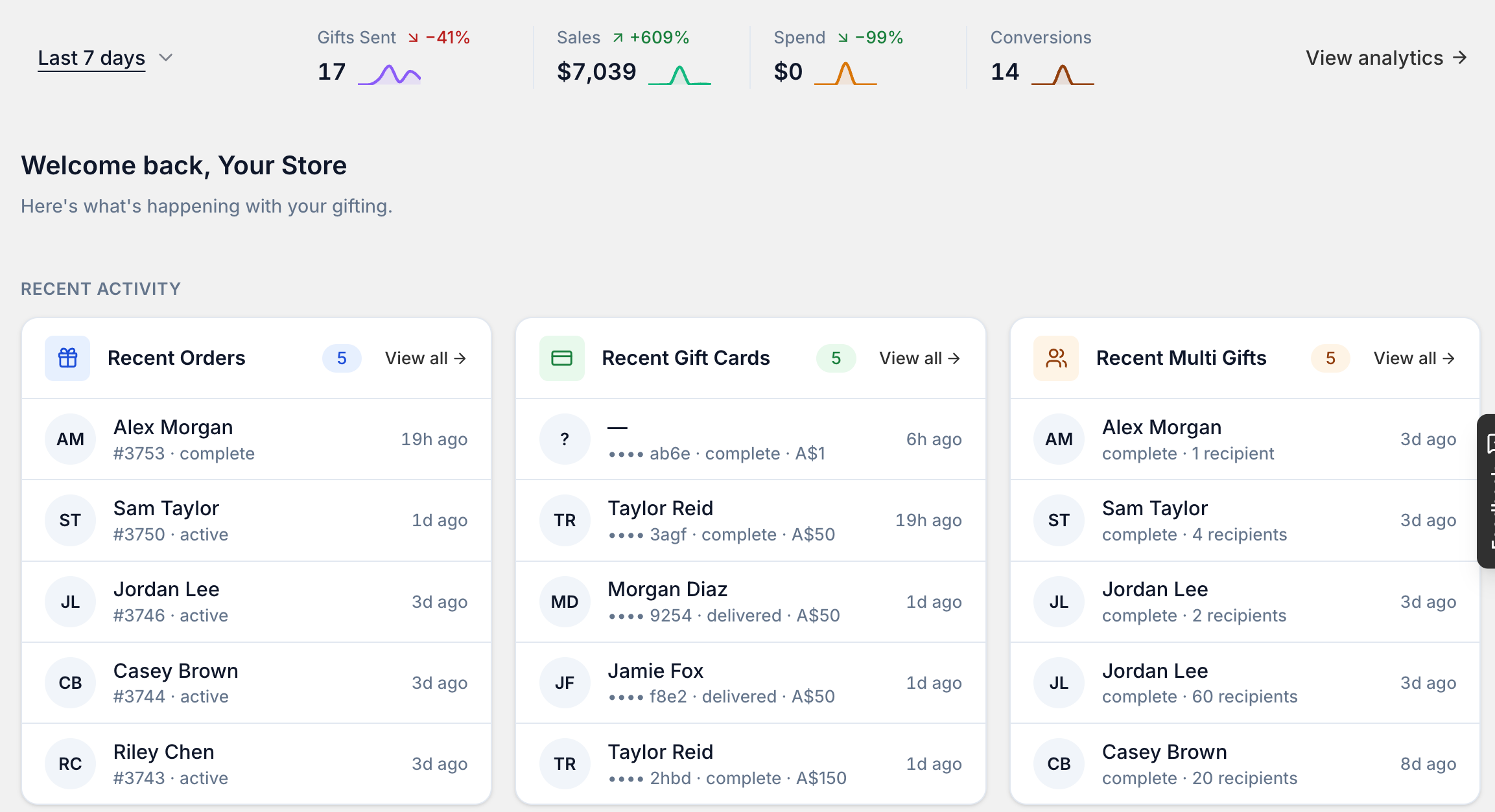
The app opens on Home. The top row shows Gifts Sent, Sales, Spend and Conversions for the period you pick (for example Last 7 days), with a link to View analytics. Below that, Recent activity lists your latest gift orders, gift cards and multi gifts, each with View all.
Getting around
- Navigation — the app uses Shopify's own admin navigation and save-bar, so it looks and feels like the rest of your Shopify admin.
- Search, filters, and saved views — every list of orders, gift cards, or multi-gift campaigns has full-text search, filters you can combine, and saved views you can name and return to as a tab.
- Unsaved-changes protection — if you navigate away with an unsaved change, Shopify's own save bar warns you before you lose it.
Getting started
- A setup guide — a step-by-step onboarding guide walks you through getting your store ready, and ticks itself off as you complete each step. Steps you can't access on your current plan are shown as "upgrade required" rather than hidden.
- Plan-aware features — features outside your plan stay visible with a clear upgrade path, instead of disappearing entirely.
Settings, all in one place
The Settings hub gives you quick links to your profile and contacts, notifications, subscription, integrations, and exports — each opening its own dedicated settings page. See Settings, plans and what you can configure for the full map of every settings page.
Self-serve everything
Things that used to need a support request now live in your own settings: email design and templates, data exports, pixel tracking (Google Tag Manager and Meta Pixel), and every connected integration.
Next: see Gift orders and messages for what changed in how orders and gift messages are processed, or jump to Settings, plans and what you can configure for the full settings map.