Updating Shopify Reporting for Multi Gift
How to Stop Double Reporting On Multi Gift Orders
Written By Nick Kennedy
Last updated 9 months ago
When you use Giftnote Multi Gift, Shopify creates:
1 parent order that takes the full payment
Multiple child orders, one per recipient, with the correct revenue per gift
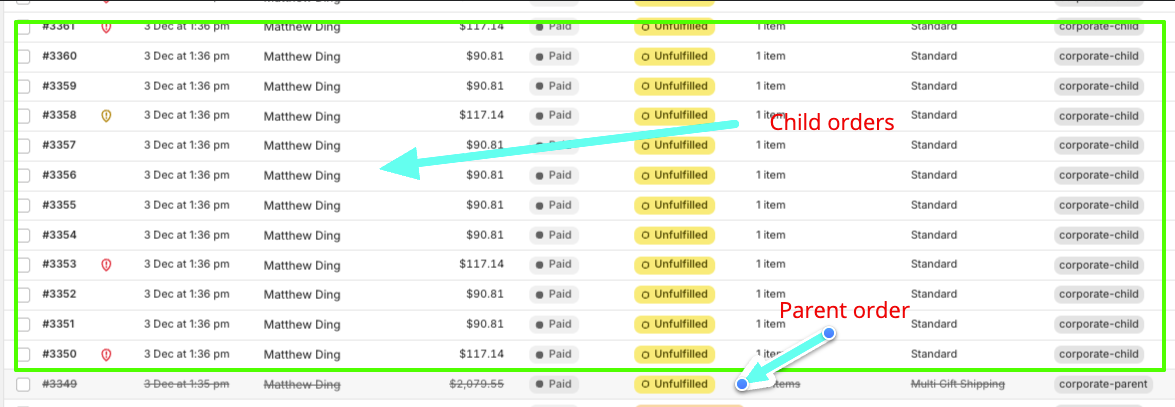
Because both appear in Shopify’s reporting, your revenue can be counted twice unless you exclude the parent order.
Technical reason: A the moment Shopify only allows one payment per checkout, so the revenue must be split across child orders while the payment sits on the parent.
Giftnote automatically tags the parent order based on what you set during onboarding (for example giftnote_parent).
You can filter your Shopify revenue reporting, using ShopifyQL, here’s how
Confirm your parent tag
Open a recent Multi Gift parent order in Shopify Admin
Check the tags section and note the parent tag name (for example
giftnote_parent) If this is not set up you can do so in the multi gift settings in Giftnote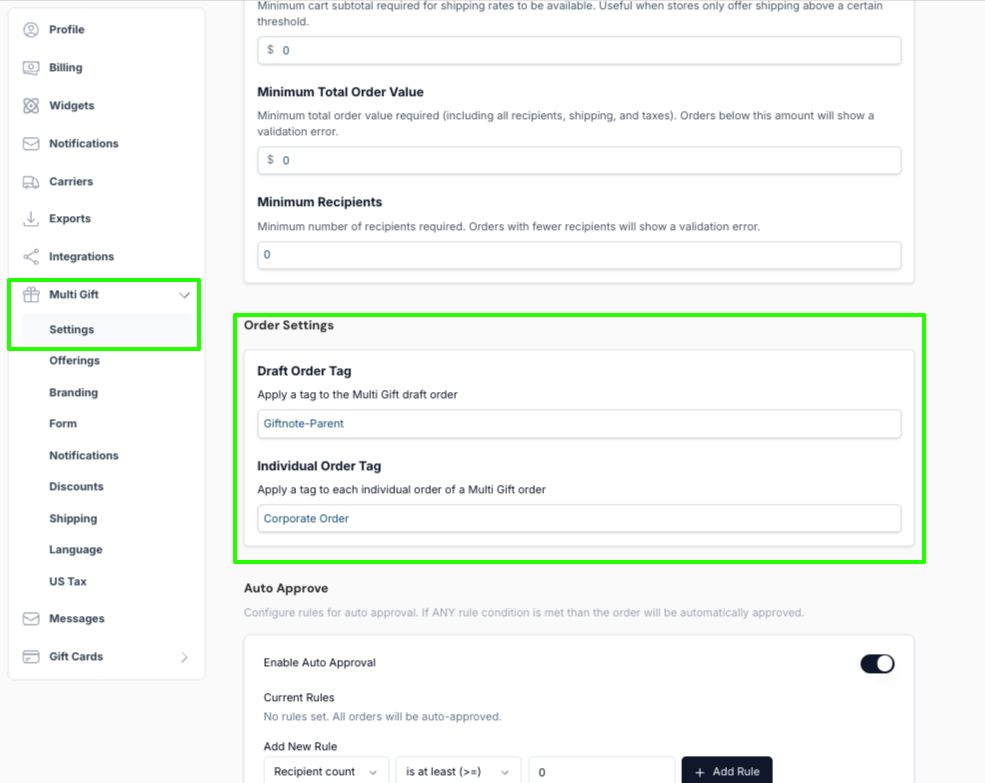
Simply add the following string to your Shopify QL query for the reports in Shopify analytics to filter out parent orders from reporting.
WHERE order_tags NOT CONTAINS 'corporate-parent'Save the report as a new report and repeat the process for any other reports you’d like to modify.
What to tell your finance team
Parent order = payment only, exclude it
Child orders = correct revenue per gift, keep them
ShopifyQL report above becomes the accurate revenue source for Multi Gift orders
Reach out to support@giftnote.com if you have any questions or need help