Create Store Credit
Written By Giftnote Admin
Last updated About 10 hours ago
Heads up — Giftnote v3 is here and the app looks different. We have just launched a completely new interface, so some screenshots and menu names in this article are still from the old version. We are updating the help docs over the next few days. In the meantime, if you get stuck, email support@giftnote.com and we will help you out.
Giftnote Store Credit
Giftnote can provide store credit directly to users. Store Credit is useful compensation or giveaway items that can be given to users that will be locked to the respective user email.
Creating Store Credit
From the Giftnote homepage select Vouchers from either of the navigation options.
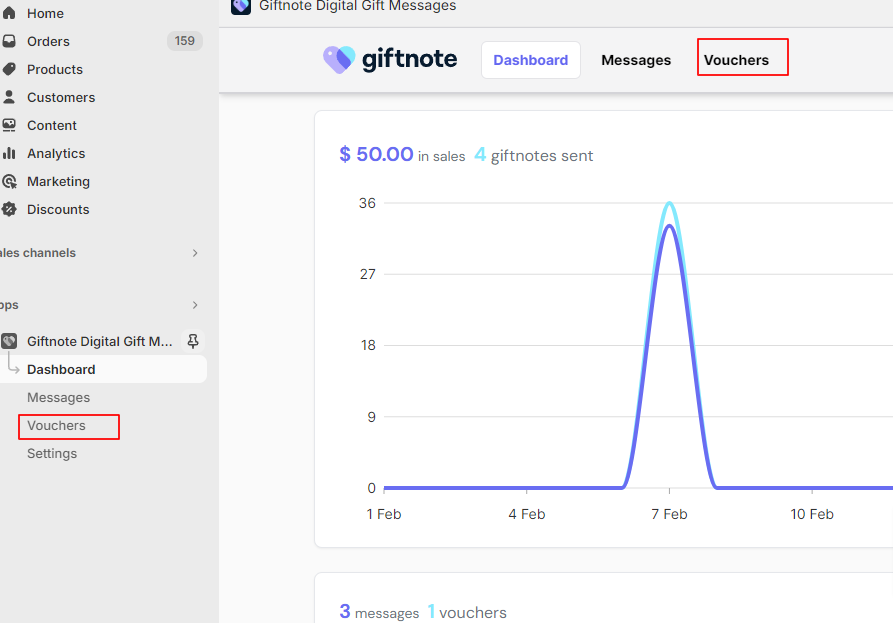
Select ‘Store credit’ next to the voucher heading. This will lead to an option to create 2 store credit types.
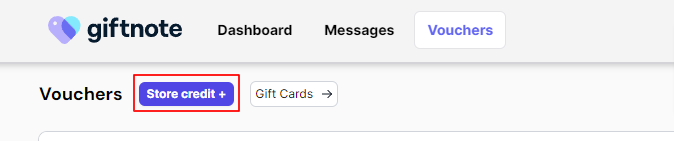
Customer Store Credit
This will issue a store credit based on an existing customer who has purchased at least once in Shopify.
To ensure the details are correct. The customer's email must be searched for before the store credit can be issued.
The code and value need to be set in their respective fields after the customer is found.
As for the code we recommend setting a random one by using the small button adjacent to the input.
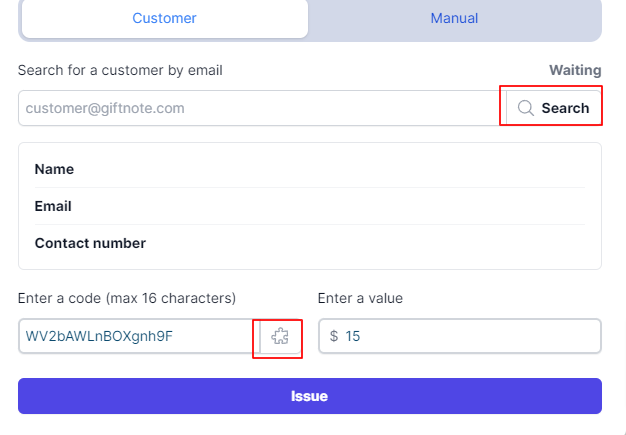
After issuing the code will automatically be sent to the customer via their email.
Manual Store Credit
This code can be sent to any email even those that have never been a customer.
The code and value need to be set in their respective fields, we recommend using a random code which can be set via the button adjacent to the input field.
Please double-check the email address is correct before issuing.
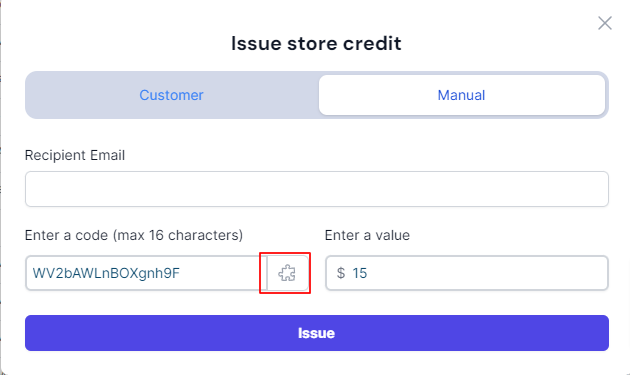
The code will automatically be sent to the recipient after issuing.