Klaviyo: Setup Flows
Written By Giftnote Admin
Last updated About 12 hours ago
Heads up — Giftnote v3 is here and the app looks different. We have just launched a completely new interface, so some screenshots and menu names in this article are still from the old version. We are updating the help docs over the next few days. In the meantime, if you get stuck, email support@giftnote.com and we will help you out.
This section will cover how to set up the common fields and flows that Giftnote provides Klaviyo. This guide is intended for users already experienced with Klaviyo’s email builder and flows.
Prebuilt flows
Giftnote has set up some pre-built flows as an example to help get people started. If you would like to have the prebuilt flows added to your account please contact us.
Gift order flows
This section will go over the aspects of the flows that manage the Giftnote notifications sent to customers for typical use cases
Flow Trigger options
has_vouchers - boolean checking if there are any gift cards in the order
has_products - boolean checking if there are any products in the order
Email Dynamic fields
These fields can be added to the subject and preview text of an email. These fields will be pulled from the order created by the sender
{{ event.gift_to|default:'' }} - The recipient name
{{ event.gift_from|default:'' }} - The sender name
{{ event.gift_message|default:'' }} - The message set in the gift note
{{ event.time|default:'' }} - The scheduled time for scheduled gift orders
{{ event.timezone|default:'' }} - The timezone for scheduled gift orders
An example of these fields in a text block
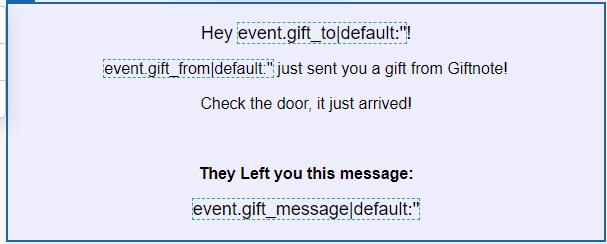
Code for the block
<p>Hey {{ event.gift_to|default:'' }}!</p><p>{{ event.gift_from|default:'' }} just sent you a gift from Giftnote!</p><p>Check the door, it just arrived!</p><p><strong>They Left you this message:</strong></p><p>{{ event.gift_message|default:'' }}</p>Product Block settings and table
This section will cover the typical settings for a product table section.
Product block dynamic table settings
These settings are needed to ensure all products are displayed
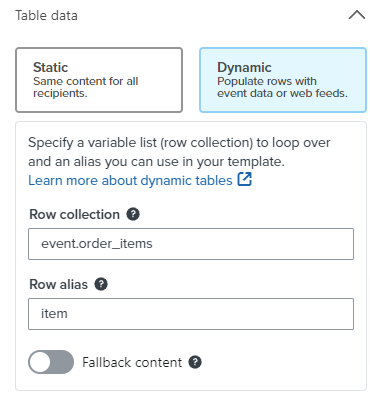
Row collection - event.order_items
Row alias - item
Product block section Logic
Recommended to ensure that blank tables do not appear in case the order only contains vouchers
Will check the event for products - event.type == "PRODUCTS_ONLY" or event.type == "HYBRID"
Product block Dynamic fields
{{ item.image|default:'' }} - Product image
{{ item.title|default:'' }} - Product title
{{ item.product_url|default:'' }} - Product URL
{{ item.quantity|default:'' }} - Product quantity
{{ item.variant_title|default:'' }} - Product variant if it exists
An example of these fields in a table
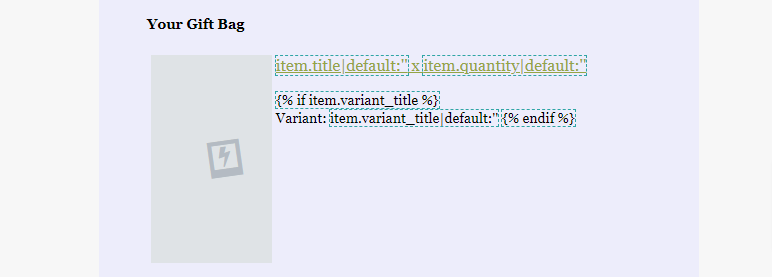
Code for the text portion of the block
<p><a href="{{ item.product_url|default:'' }}">{{ item.title|default:'' }} x {{ item.quantity|default:'' }}</a></p>Gift card block
This section will cover the typical settings for a gift card table section.
Gift card block dynamic table settings
These settings ensure that all gift cards are displayed if there are multiple
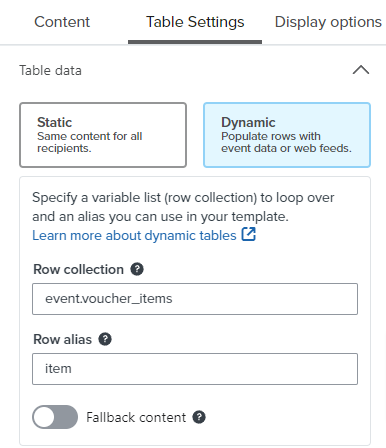
Row collection - event.voucher_items
Row alias - item
Gift card block section Logic
This logic will hide the section if there are no gift cards to display.
Checks for vouchers in the event - event.type == "VOUCHERS_ONLY" or event.type == "HYBRID"
Gift card block dynamic fields
{{ item.image|default:'' }} - Gift card image
{{ item.title|default:'' }} - Gift card title
{{ item.product_url|default:'' }} - Gift card URL
{{ item.voucher_value|default:'' }} - Gift card Value
{{ item.voucher_currency|default:'' }} - Currency that the gift card is in
{{ item.voucher_code|default:'' }} - Gift Card code
An example of these fields in a table
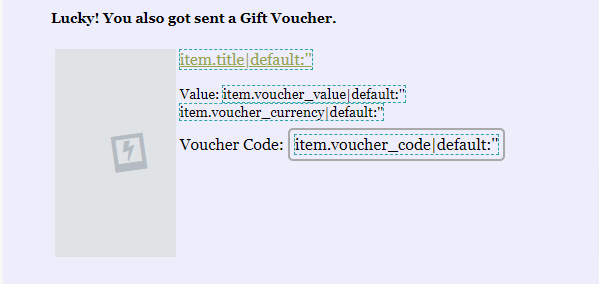
Code of the text section of the block
<p><a href="{{ item.product_url|default:'' }}">{{ item.title|default:'' }}</a></p><p>Value: {{ item.voucher_value|default:'' }} {{ item.voucher_currency|default:'' }}</p><p>Voucher Code: {{ item.voucher_code|default:'' }}</p>Gift card/ Store credit Flows
These are the flows sent when a backend gift card or store credit is provided. These emails will be sent when only a gift card or store credit is in a gift order. Backend issues for store credit will use these flows
Backend Email Dynamic fields
These fields can be added to the subject and preview text of an email. These fields will be pulled from the event details.
{{ event.gift_to|default:'' }} - The recipient name
{{ event.gift_from|default:'' }} - The sender name
{{ event.gift_message|default:'' }} - Message if set
{{ event.voucher_value|default:'' }} - Voucher value
{{ event.voucher_currency|default:'' }} - Voucher currency
{{ event.voucher_code|default:'' }} - Code for the voucher
Example text block
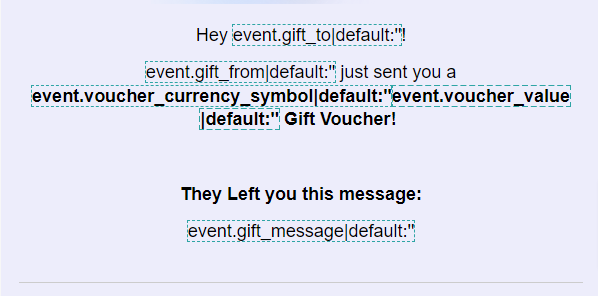
Text block code
<p>Hey {{ event.gift_to|default:'' }}!</p><p>{{ event.gift_from|default:'' }} just sent you a <strong>{{ event.voucher_currency_symbol|default:'' }}{{ event.voucher_value|default:'' }} Gift Voucher!</strong></p><p>They Left you this message:</p><p>{{ event.gift_message|default:'' }}</p>Disabling Giftnote notifications
Before enabling the Klaviyo flows the corresponding Giftnote notifications must be disabled to prevent the emails from doubling up. This can be managed in the Giftnote settings.
Accessing Email options
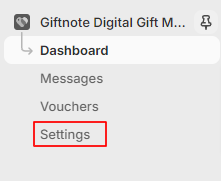
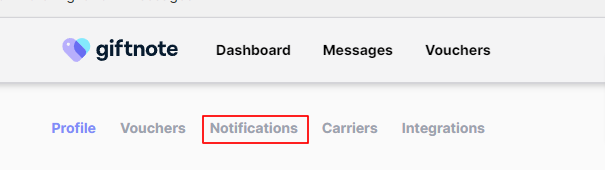
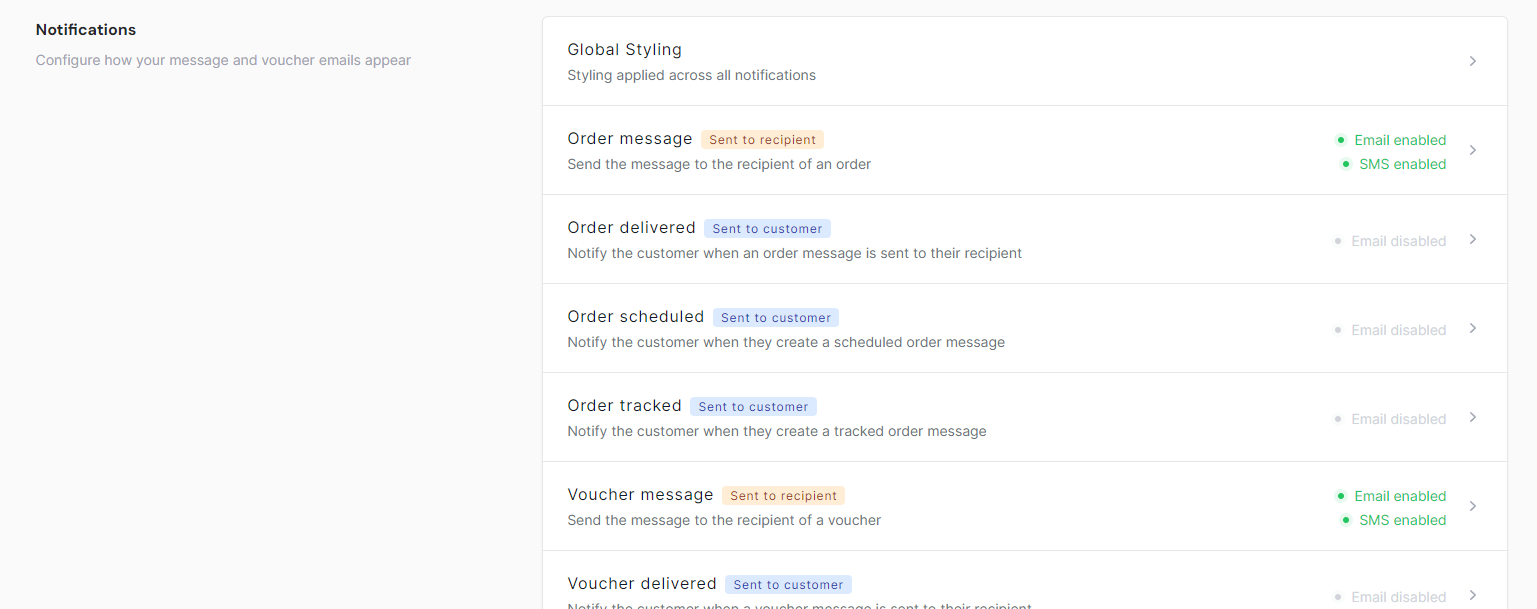
To access the styling options for emails select settings on the left navigation bar under Giftnote and on the following page select notifications or scroll down to the notifications section.
Disabling an email
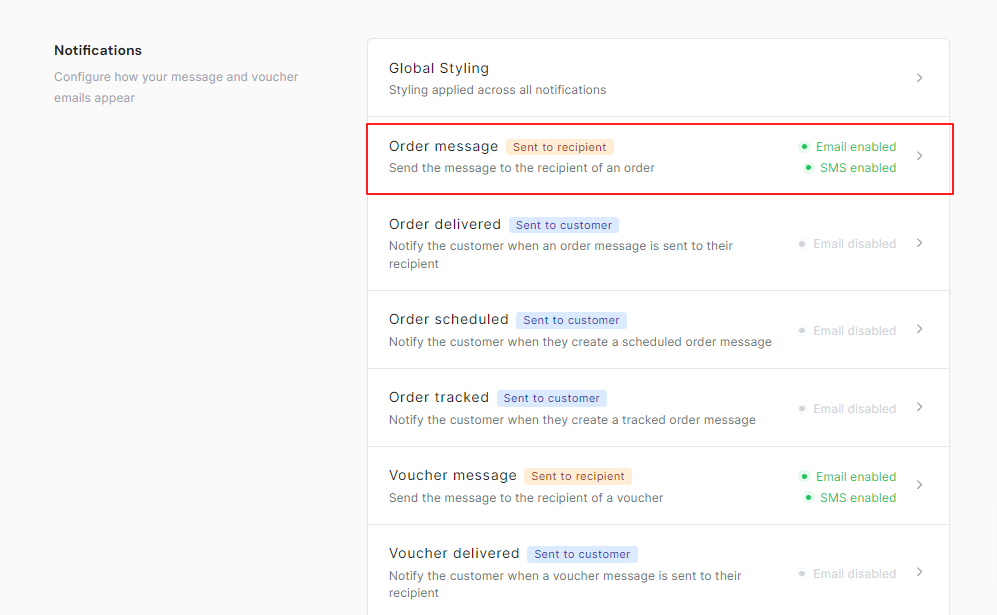
Select an email to disable
On the settings on the left toggle the ‘Email enabled’ option to disable
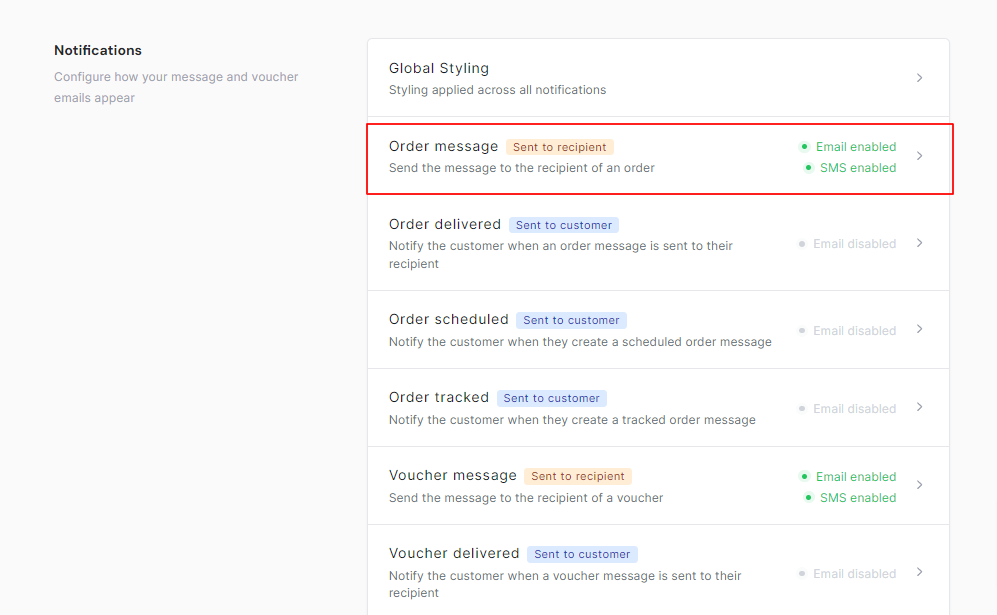
Save the changes via the save button on the right to disable the email.