2. Giftnote Order Attribute Schema Reference
The field-by-field reference for the order attributes and line item properties Giftnote reads from custom or headless checkout integrations.
Written By Giftnote Team
Last updated 1 day ago
You only need this if a developer is building a custom gift message form, a headless storefront or another integration that passes gift details to Giftnote. It lists every field Giftnote reads from Shopify note_attributes (gift messages) and line_item_properties (gift cards): types, accepted values, formats, and what happens when data is invalid.
Agency or developer? If you're setting Giftnote up for a client and want a development sandbox to build and test in, email support@giftnote.com and we'll set one up for you.
Quick reference
Order attributes: gift messages
Gift message data is stored in Shopify note_attributes at the order level. Each order carries one gift message. Shopify doesn't support a separate gift message per line item. Both the bare giftnote_* form and the underscore-prefixed _giftnote_* form are accepted and normalized identically.
There is no giftnote_medium input field. Since the September update, Giftnote doesn't read a delivery-medium attribute at all. Delivery channel is derived automatically: if giftnote_email is present, email delivery is enabled; if giftnote_phone is present, SMS delivery is enabled; if both are present, both fire. Giftnote ignores a giftnote_medium attribute. You control the channel by which of giftnote_email/giftnote_phone you send, not by a separate medium field.
Line item properties: gift cards
Gift card recipient data is stored as Shopify line_item_properties on the gift card line item, using the underscore-prefixed _giftnote_* form only. Accepted keys: _giftnote_to, _giftnote_from, _giftnote_message, _giftnote_email, _giftnote_phone, _giftnote_method ("instant" · "scheduled"; no "tracked", because gift cards are digital), _giftnote_time, _giftnote_source. There's no _giftnote_medium key here either. The channel follows the contact fields you send, as with order attributes.
The checkout extension widget does not work for gift cards. Only the product page widget triggers the Giftnote flow for gift card purchases.
Gift card product requirements
For Giftnote to recognize a product as a gift card proxy, the Shopify product must be configured exactly as follows:
Full details
giftnote_to
The recipient's name. Displayed in the gift message notification (email and SMS) and in the Giftnote admin. Optional: a message without it still builds.
{ "name": "giftnote_to", "value": "Sarah" }No format restrictions beyond being a non-empty string.
giftnote_from
The sender's name. Displayed in the gift message notification alongside the message body.
{ "name": "giftnote_from", "value": "James" }If you support anonymous gifting, pass the value the sender has consented to display.
giftnote_message
The gift message text. Delivered to the recipient by email, SMS, or both, depending on which contact fields you send.
{ "name": "giftnote_message", "value": "Happy birthday! Hope you love this 🎉" }Keep messages to 500 characters. That is the limit in Giftnote's own widget, checkout block and the app's Edit message. Each shop can set a lower limit, from 20 to 500, in Settings → Gift orders → Settings → Orders (Gift message character limit; leave it blank for 500).
Supports emoji and Unicode. No HTML: messages show as plain text in SMS and as pre-formatted text in email templates.
Delivery channel (email and phone)
There is no giftnote_medium field. The channel follows the contact fields you send:
If you are building a custom form, present both fields. Sending both maximizes delivery success.
giftnote_email
The recipient's email address. Send it to enable email delivery.
{ "name": "giftnote_email", "value": "sarah@example.com" }Trim whitespace before submission. Giftnote validates the email when it reads the order and drops an invalid one, so send a clean address.
Standard email validation applies. Giftnote does not verify deliverability at submission time.
giftnote_phone
The recipient's phone number. Send it to enable SMS delivery.
Send it in E.164 format: country code prefix, no spaces, no dashes, no parentheses.
{ "name": "giftnote_phone", "value": "+17082616039" }Giftnote saves the number as sent and reads it when the text is due, using your store's country for a number with no country code. If it still can't read the number, only the SMS is skipped. The gift message is still created and the email still sends. Send E.164 to be sure the text goes out.
Giftnote sends SMS itself. The SMS is transactional, so the recipient doesn't need to opt in.
giftnote_method
Controls when the gift message fires.
{ "name": "giftnote_method", "value": "tracked" }For gift card line item properties: only "instant" and "scheduled" are valid. "tracked" is not supported because gift cards are delivered digitally and have no carrier tracking.
Use "tracked" when the message should arrive with the parcel rather than at purchase.
giftnote_time
The scheduled delivery date and time for the gift message. Required when giftnote_method is "scheduled".
Must be ISO 8601 format.
{ "name": "giftnote_time", "value": "2026-03-15T09:00:00-05:00" }If you are building a custom date picker, show the selected time in the customer's local timezone within your own UI to set expectations.
If giftnote_method is "scheduled" and giftnote_time is missing, the gift message is saved as invalid and doesn't send until a send time is added. A time Giftnote can't read has the same effect. Always send a valid ISO 8601 time with "scheduled".
JavaScript events for custom integrations
If you are building a custom widget, trigger, or cart interaction, Giftnote exposes these JavaScript events:
Example: rehydrate after a cart drawer update
document.dispatchEvent(new Event("giftnote_hydrate"));Example: open the widget from a custom button
document.querySelector('.my-gift-button').addEventListener('click', function() {
  document.dispatchEvent(new Event("giftnote_open"));
});
Common errors
These are the most frequent integration failures with custom forms and headless implementations. All of them fail silently. Giftnote doesn't show validation errors on the storefront, in the Giftnote app or in Shopify admin.
Missing sender name drops the message
If giftnote_from is missing or empty, no gift message is created. It does not appear in the Giftnote admin, and no one is notified. Other problems are softer: an invalid giftnote_email is dropped and the message still builds for SMS if a valid phone is present, and a missing or unknown giftnote_method falls back to On Delivery. Always validate on your end before submitting to Shopify.
Phone number missing country code
The most common single error. A US phone number submitted as 7082616039 instead of +17082616039 is read using your store's country. That works for local numbers but not for a recipient in another country, whose text is then skipped (the email still sends). Prepend the country code in E.164 format before the data reaches Shopify's note_attributes.
Whitespace in email
Trim all whitespace from giftnote_email before submission. Giftnote drops an email it can't validate, and the message then only goes by SMS if a valid phone is present.
Message longer than 500 characters
500 characters is the message limit in Giftnote's widget and in the app. If you are building a custom form, enforce the 500-character limit client-side with a visible counter (or the lower limit your shop has set).
Scheduled method without a time
Setting giftnote_method to "scheduled" without a valid giftnote_time saves the message as invalid, and it doesn't send until a send time is added. Always conditionally require the time field when the scheduled method is selected.
"tracked" method on a gift card line item
Gift cards are delivered digitally, so there's no carrier tracking. If _giftnote_method is set to "tracked" on a gift card line item property, the delivery trigger never fires. Use "instant" or "scheduled" only.
Sending giftnote_medium
A giftnote_medium attribute is ignored. If a recipient gets email but no SMS (or the reverse), check which of giftnote_email and giftnote_phone your form actually sends.
Gift card product vendor not set
Giftnote recognizes gift card purchases by the product's vendor, which must be Giftnote Gift Card (or Giftnote). Products created in Settings → Gift cards → Products get it automatically. For a product you built yourself, select Add next to it on that page, or set the vendor in Shopify. If an order processes as a normal Shopify order with no gift card issued, check the vendor.
Test orders placed via Shopify admin
Orders created through the Shopify admin backend bypass the storefront widget entirely. No note_attributes or line_item_properties are attached. Always place test orders from the live storefront. For testing, use a low-value gift card product and refund it afterwards. Don't use 100% discount codes: they can skip payment and cause failures later.
Notes
Order-level, not line-item-level: Gift messages are stored in note_attributes, which apply to the entire order. You cannot attach different gift messages to different line items within the same order. This is a Shopify platform constraint, not a Giftnote limitation.
Gift card data at line-item level: Gift card recipient data is the exception. It uses line_item_properties because the gift card widget captures data on the product page before the item is added to cart, and a single cart may contain physical products alongside gift cards with different recipients.
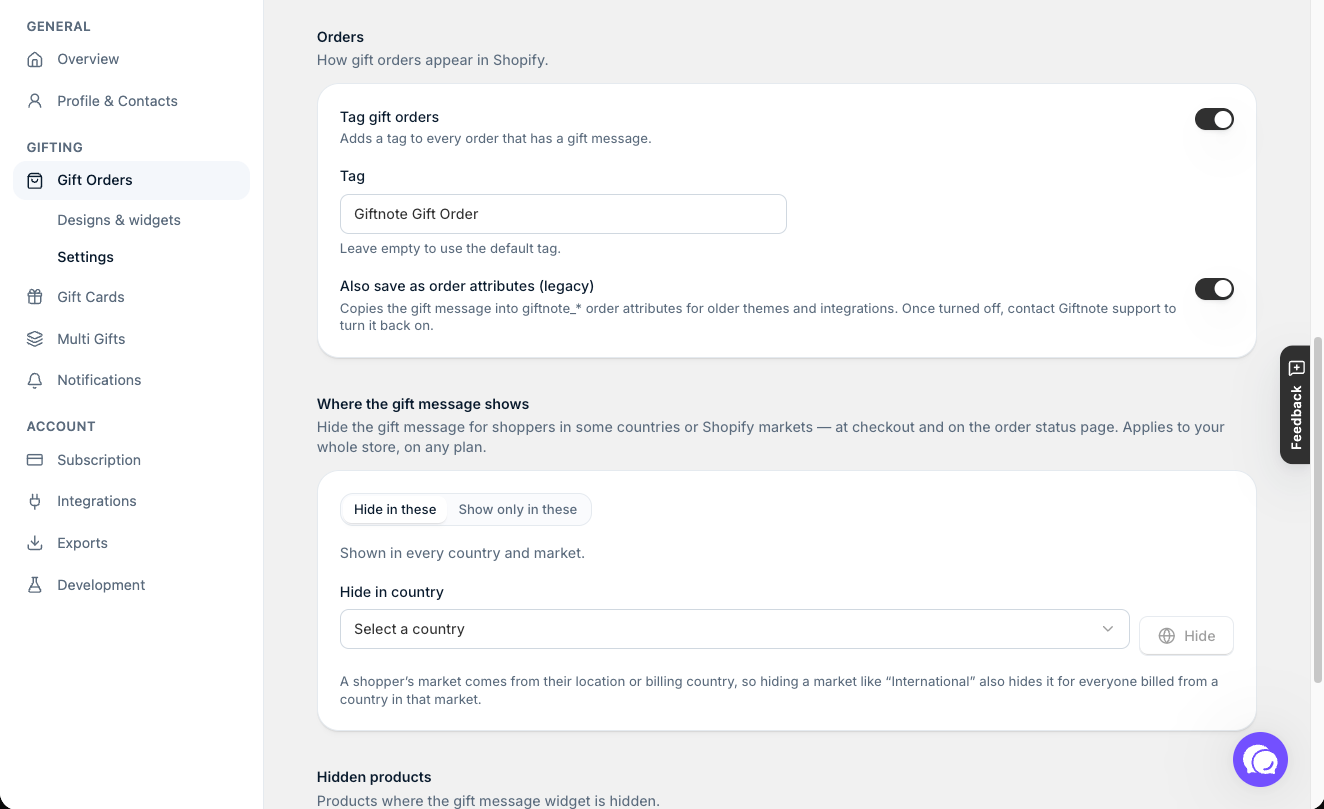
Reading attributes back from an order: Giftnote stores gift data in its own order metafield. Read it from the order's giftnote.gift_message metafield where you can. The giftnote_* note attributes (to / from / message / email / phone / source / method / time) stay on the Shopify order only while Also save as order attributes (legacy) is on in Settings → Gift orders → Settings → Orders. The app labels this setting legacy, but it's still available in every store. It's there for tools that still read note attributes: themes, packing slips, Shopify Flow, Order Printer and 3PLs.
Headless Shopify: The product page and cart drawer widgets are not compatible with headless storefronts. Only the checkout extension widget renders on the myshopify.com checkout URL. For headless implementations, build a custom input form that writes to Shopify note_attributes using the schema above, and the Giftnote backend processes the data identically.
Shadow DOM: The <giftnote-button> web component renders inside a shadow DOM. Standard CSS selectors cannot style it. Use the giftnote_inject_styles event or the CSS field in App Embeds → Giftnote Control Panel in the Shopify theme editor.
Theme publishing resets widget state: Publishing a new Shopify theme drops the Giftnote app embed settings. The merchant must re-enable the Giftnote app embed in the new theme. If your agency manages theme deployments, add this to your go-live checklist.
Shopify Flow bridge: To expose gift message data in the Shopify Notes field (for packing slips, warehouse systems, or ERP integrations), use a Shopify Flow automation that copies note_attributes values into the order Notes field. This is not automatic.
Klaviyo event variable case sensitivity: If you are building Klaviyo email templates that reference Giftnote event data, note that event variables are case-sensitive. {{ event.From }} (capital F) is correct. {{ event.from }} fails silently.
Related articles
Was this helpful?
Still need help? Share an idea