6. Gift Card Settings
Gift card settings in Giftnote: code format, expiry, how discounted purchases are issued, and automatic fulfilment.
Written By Giftnote Admin
Last updated 16 days ago
On the free plan? This feature needs the Core or Professional plan. Choose a plan in Settings > Subscription in the app, or email support@giftnote.com and we'll help you choose. Which plan do I need?
Gift card advanced settings
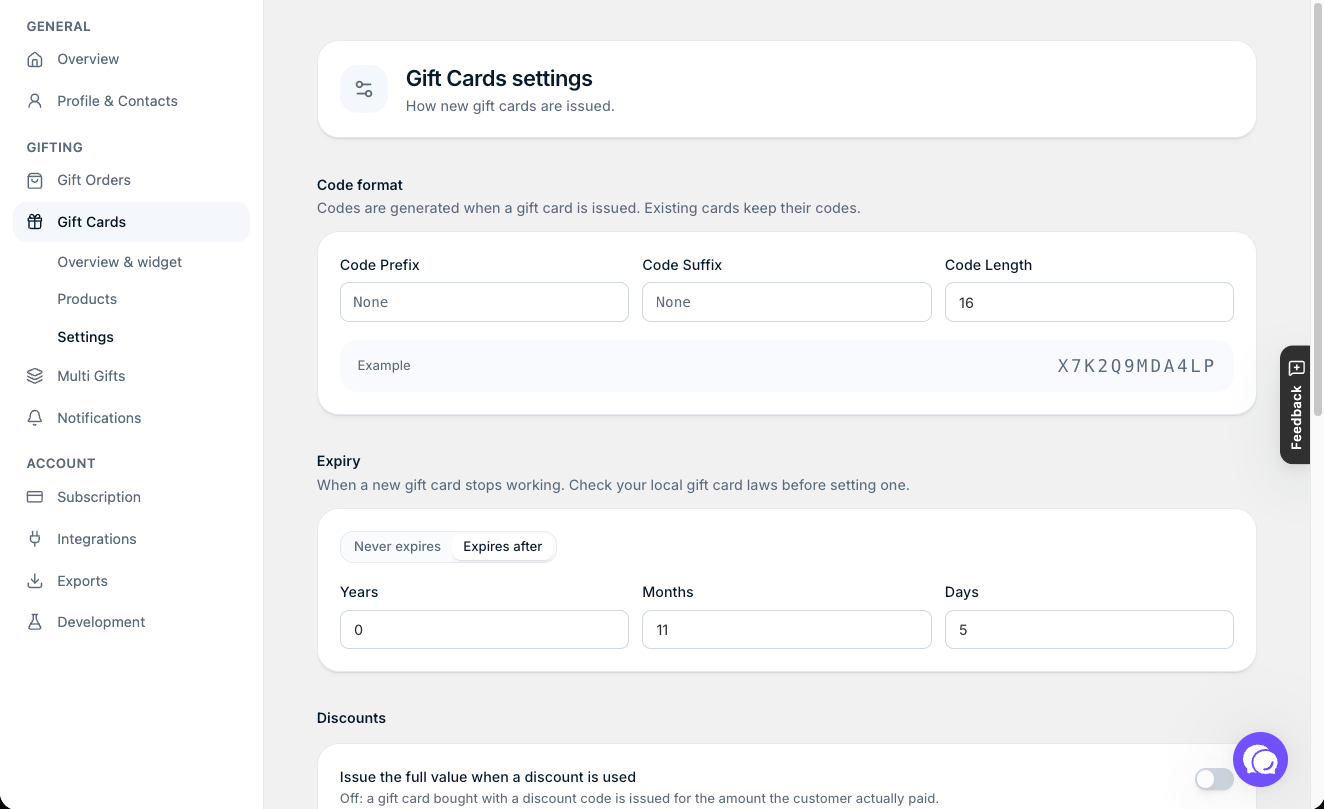
These settings control how Giftnote issues gift cards: how long they last, whether orders fulfill themselves, how discounts count and what the codes look like. Find them in the Giftnote app under Settings > Gift Cards > Settings.
Expiry
How long a gift card stays valid after it's issued. It's set to Never expires by default, so gift cards don't expire. To set one, select Expires after, enter a number and choose Years, Months or Days. Check your local laws first. Full steps: Gift Card Expiration.
Fulfilment
When Automatically fulfill gift card orders is on, Giftnote marks each gift card order fulfilled in Shopify as soon as it finishes processing, and the code is ready to send. Nobody has to touch the order.
Turn it off if someone needs to check orders first, for example for a manual fraud review, or when the order includes a physical item that ships separately. Those orders then sit unfulfilled until someone fulfills them by hand.
Discounts
This sets the gift card's value when the customer uses a discount at checkout.
With Issue the full value when a discount is used off (the default), Giftnote issues the card for what the customer paid after the discount, as long as that's more than $0. A $100 gift card bought with 10% off becomes a $90 card. Your gift card balances then never add up to more than you were paid.
Code format
Use Code Length to set how long gift card codes are, from 8 to 20 characters. You can also add a Code Prefix and Code Suffix (letters and numbers only). They share 8 characters between them. The Example shows what a code will look like. Longer codes are harder to guess.
Attach recipient to gift cards in Shopify
If you used Giftnote before September 2026, you may look for this setting. It's gone. Giftnote now creates a Shopify customer profile for the recipient whenever it can, so you can find recipients in Shopify and include them in your marketing. See Recipient Details on Gift Cards in Shopify, and Setting an Expiry Date.
Need help? Chat with us using the chat button in the help centre or in the app, or email support@giftnote.com.
Related articles
Was this helpful?
Still need help? Share an idea