13. Can I sell physical gift cards with Giftnote?
Giftnote is built for digital gift cards, but you can still sell a printed card. Here is the workaround, the Shopify limits behind it, and the workflow your team follows.
Written By Giftnote Team
Last updated 29 days ago
On the free plan? This feature needs the Core or Professional plan. Choose a plan in Settings > Subscription in the app, or email support@giftnote.com and we'll help you choose. Which plan do I need?
Not directly. Giftnote issues digital gift cards. It doesn't design, print, pack or post physical cards, and the app has no physical card product.
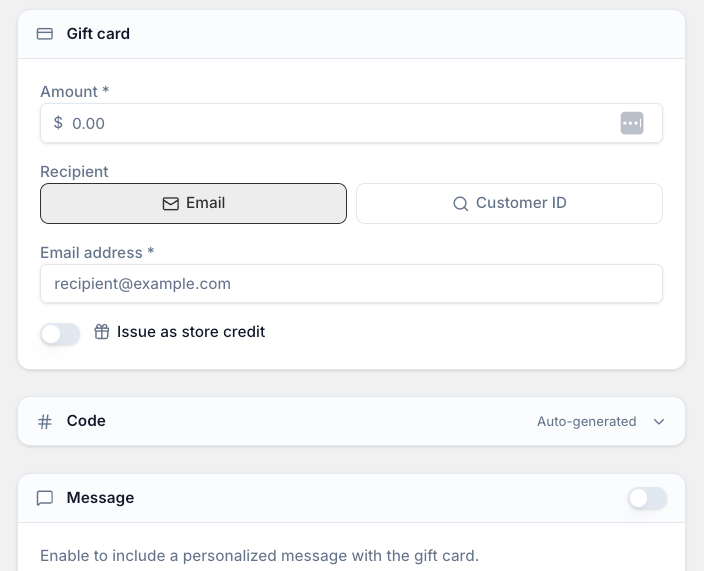
You can still sell a printed card from your Shopify store with a workaround: sell the card as a normal product and attach a real gift card code by hand. The limit comes from Shopify, not Giftnote.
Why you can't ship a Shopify gift card
Shopify always delivers gift card products by email. If you set a gift card product's variants to require shipping, Shopify rejects it with Requires shipping cannot be applied to gift cards. No app can change that, so the printed card has to be a normal product.
The recommended setup
Create a normal product, for example "Physical Gift Card", with one variant per value you want to offer ($50, $100, $200). Don't use a Shopify gift card product.
Set up delivery. As a normal product, it uses your usual shipping rates, or local pickup if you offer it at that location. For pickup, your team marks the order ready for pickup and Shopify emails the customer. Check that email is on in Shopify under Settings > Notifications.
Get your codes. Ask Giftnote support for a batch of gift cards at the values you need. We create them in your Shopify account and send you the codes as a CSV, at no extra charge.
Assign a code when you fulfil each order. Write or stick the code on the printed card, and note which code went to which order in the order notes.
Each code is a real Shopify gift card. Customers can spend it online and in Shopify POS, and no digital gift card email goes out.
The Shopify pre-printed card alternative
Shopify sells its own pre-printed gift cards with the codes already on them, at hardware.shopify.com/pages/gift-cards. They work the same way, without the CSV step, but you're limited to Shopify's designs.
Choose Shopify's cards to launch quickly. Choose a Giftnote code batch if you want your own branded card and envelope.
What to know before you launch
Assigning codes is manual. Nothing links the order to the code automatically. Someone on your team does it at fulfilment and records it against the order.
One delivery method per order. Shopify checkout allows one delivery method per order. If a customer adds jewellery for shipping and a printed card for pickup, they either collect everything or have everything posted. To make one item pickup-only you need a delivery customisation app such as Zapiet, or Shopify Plus.
Accounting. Shopify records the gift card liability when the batch of codes is created, not when you sell a card. The sale itself shows as normal product revenue. Ask your bookkeeper how to record both.
Reconciliation. Tag these orders with something like physical gift card so you can find them and match them against the code batch later.
Refunds and cancellations. Handle these in Shopify: disable the code or reduce its balance there. If a customer never collects an order, disable the code before the card goes back in the drawer.
Selling printed cards and eGift cards together
Your printed cards sit outside Giftnote, so your eGift cards keep working as before: the buyer's gift message, delivery to the recipient by email or SMS, recipients added to your customer list, and your Klaviyo flows.
Many brands sell both: printed cards for in-store gifting, and eGift cards for last-minute online buyers.
Frequently asked questions
Does Giftnote print or post the cards?
No. We create the codes only. Design, printing, packing and fulfilment are up to you.
Is there a charge for the code batch?
No. Chat with us with the values and quantities you want.
Are the codes active as soon as they're created?
Yes. They're live gift cards from the start, so store them securely and treat them like cash.
Will the recipient get a digital gift card email by mistake?
No. The order runs through a normal product, so Giftnote doesn't send anything.
Can a customer buy a printed card and an eGift card in the same order?
Yes, but one delivery method still applies to the whole order, so plan for the shipping or pickup rule above.
Do the codes work in Shopify POS?
Yes. They're standard Shopify gift cards, so customers can spend them online and in store.
Can I add a gift message to the physical card order?
Yes. The Giftnote widget works on a normal product, so customers can add a message at cart or checkout like the rest of your catalogue.
Related articles
Was this helpful?
Still need help? Share an idea