3. Build a corporate gifting landing page
The nine sections of a corporate gifting page that sends buyers into your Multi Gift storefront, plus where to add a Send to many recipients button for retail customers.
Written By Giftnote Team
Last updated 21 days ago
Installing Multi Gift isn't enough on its own. Buyers need a page on your Shopify site that sells your corporate gifting and sends them to your storefront. This template covers the nine sections that make those pages work, based on 44 Farms, The Cravory and Ballerina Farm.
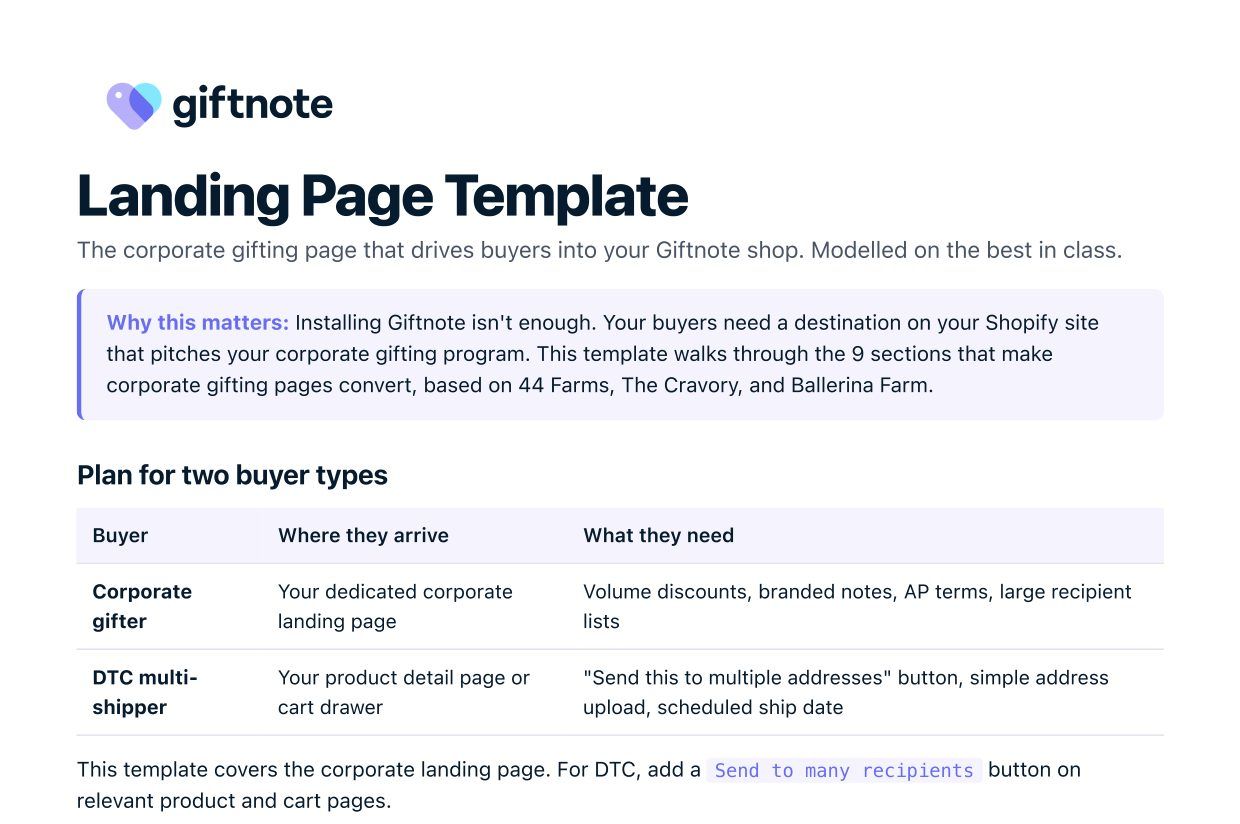
Plan for two buyer types
This article covers the corporate landing page. For retail customers, add a Send to many recipients button (see the end of this article).
The nine sections
1. Announcement bar (top of page)
One thin bar above the header that reassures buyers before they read anything else.
Example: Free shipping on corporate orders over $200 · Volume discounts available
2. Hero (lead with the outcome)
A big headline about the outcome, not the features. One line underneath. A photo of a gift being received, not your product on a white background.
- 44 Farms: "Gift ideas for every appetite. Made easy."
- The Cravory: "Send the Perfect Business Gift"
- Avoid: "Multi-Recipient Bulk Order Portal". It's jargon and leads with features.
3. Three paths (the section that converts)
Three cards side by side, so every buyer picks their path before reading further. If you only do one section well, make it this one.
- Self-serve: "Send to many recipients", linking to your Multi Gift storefront.
- Concierge: "Talk through options", linking to a contact form.
- Catalogue: "Browse gift ideas", linking to a PDF download.
4. How it works (reassurance)
Three numbered steps with icons, so buyers see the process before they commit: 1. Pick gifts · 2. Add recipients · 3. We ship to every address.
5. Trust wall (social proof)
Client logos, or testimonials from named people at real companies. Corporate buyers want to see who else trusts you.
- Logo wall: 6 to 12 of your real corporate clients' logos in one row.
- Testimonial: "[Brand] is our go-to for client gifting. The team made our [N]-recipient holiday send effortless." Name, role, company.
6. Pricing and volume discounts
Publish your discount tiers so finance teams can check them without a sales call. For example, 44 Farms offers 5% off $3,000+, 10% off $5,000+ and 12% off $8,000+. You can apply tiers like these automatically in Multi Gift: see Set up Multi Gift, step 9.
7. Corporate gift favourites (product showcase)
Your 3 to 6 most-ordered gift sets, as a starting point for buyers who don't know what to send. Use the same products that lead your Multi Gift storefront, and link straight into it.
8. FAQ (answer questions before they're asked)
Answer the questions every procurement team asks before they email you:
- What's the minimum order?
- Can we add our company logo to the gift?
- How are gifts personalised?
- What's the lead time?
- Do you offer net 30 payment terms?
- Can you ship internationally?
9. Final call to action and concierge fallback
Repeat your main button, and offer a contact option for buyers who've read everything and still want to talk. For example: Send to many recipients → or call us on [your number].
Writing rules for the page
- Headlines about the outcome. "Gift ideas for every appetite. Made easy." not "Bulk order portal."
- Plain language. "Send to many recipients" not "Multi-Recipient Order Submission."
- Trust before benefits. Client logos and testimonials beat feature lists.
- One main button, repeated at least three times: in the hero, mid-page and footer.
For retail customers: the Send to many recipients button
For shoppers sending the same product to several people, add an entry point in your main store:
To add the button to product pages, see Add the Multi-Gift Button to Your Shopify Store.
Examples to look at
Want help building yours? We can send copy templates, button snippets and a wireframe for your brand. Email support@giftnote.com or book a call at calendly.com/giftnote.
Related articles
Was this helpful?
Still need help? Share an idea