14. Export Gift Cards and Liability Reports in Giftnote
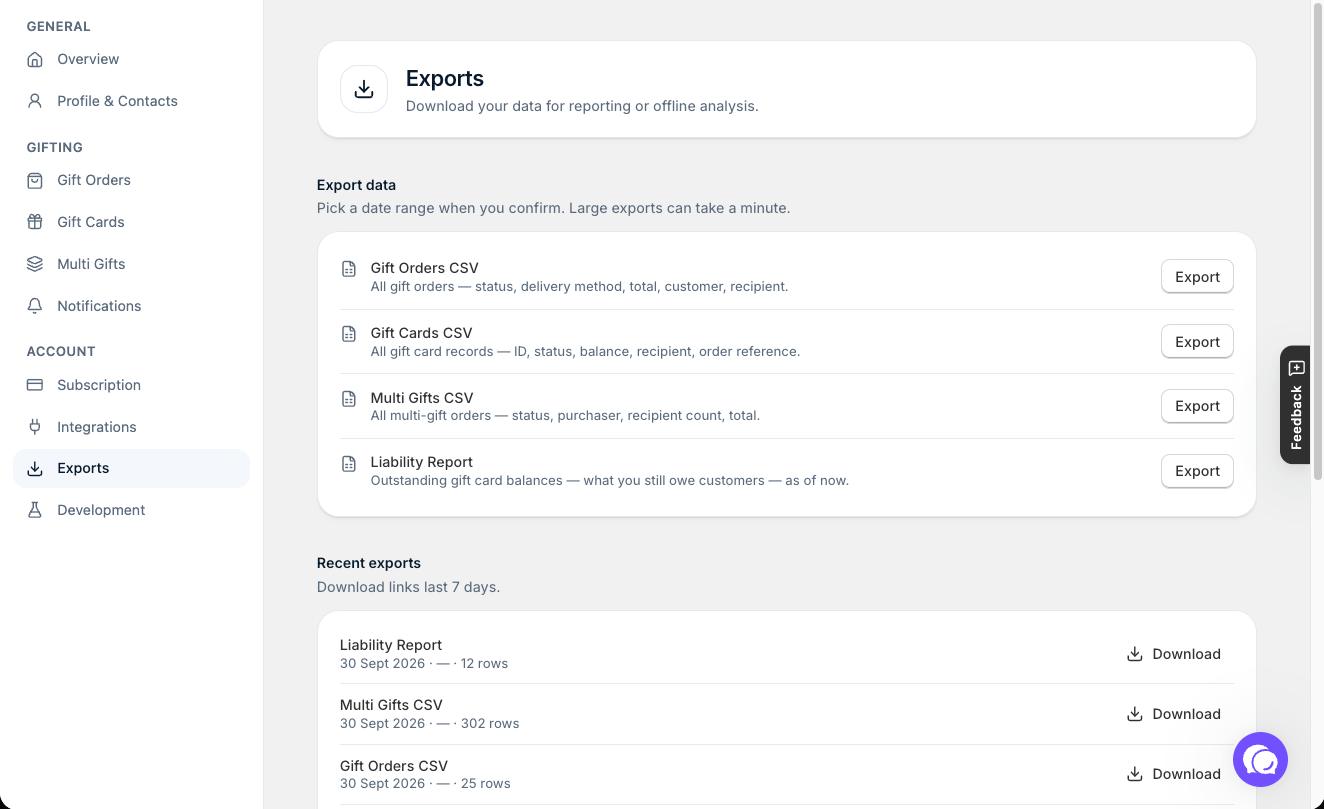
Export your gift cards or a liability report from Settings → Exports, and download the file for reconciliation or your accountant.
Written By Giftnote Admin
Last updated 17 days ago
On the free plan? This feature needs the Professional plan. Choose a plan in Settings > Subscription in the app, or email support@giftnote.com and we'll help you choose. Which plan do I need?
Giftnote gift card exports
Download a list of your gift cards, or a liability report showing what you still owe customers on unspent balances. Use them to reconcile your books or send to your accountant.
Before you start
The Exports page says exports are available on the Professional plan. If you see an upgrade message there, select See plans. See Plans, Pricing & Billing FAQ.
Which export should I choose?
- Gift cards: every gift card, with its full code, type, status, value and balance, customer, recipient, message and order. The file holds full codes, so store it securely.
- Liability report: a snapshot of your outstanding gift card balances, meaning what you still owe customers. This is the one to send your accountant.
The same page also exports Gift orders (including the full gift message) and Multi Gifts.
Step 1: Go to exports
- In the Giftnote app, go to Settings > Exports.
Step 2: Run an export
- Next to Gift cards or Liability report, select Export.
- For gift cards, choose a Date created range in the dialog: Last 7 days, Last 30 days (the default), Last 90 days or All time. Then select Export gift cards. The liability report is a snapshot of right now, so it has no date range: select Export liability report.
Step 3: Download
- The export is prepared in the background, so you can leave the page while it runs. When it's ready, it appears under Recent exports with a Download button.
- Download the file. It's a CSV file, so it opens in any spreadsheet and imports into most accounting software. Recent exports lists your last 20 exports, and you can download any of them again while it's listed.
Tips for using exported data
- Check your liability without exporting. In the Giftnote app, Analytics > Gift Cards shows your outstanding liability, redemption rate and balances expiring soon.
- Set up your accounts once. To record gift card sales as a liability until they're spent, see Gift card reporting and accounting setup.
Need help? Chat with us using the chat button in the help centre or in the app, or email support@giftnote.com.
Related articles
Was this helpful?
Still need help? Share an idea