6. Integrations and notifications
What changed for integrations and notifications in the September 2026 update: supported tools, per-event control, Klaviyo event names, and test buttons.
Written By Giftnote Team
Last updated 27 days ago
Integrations and notifications
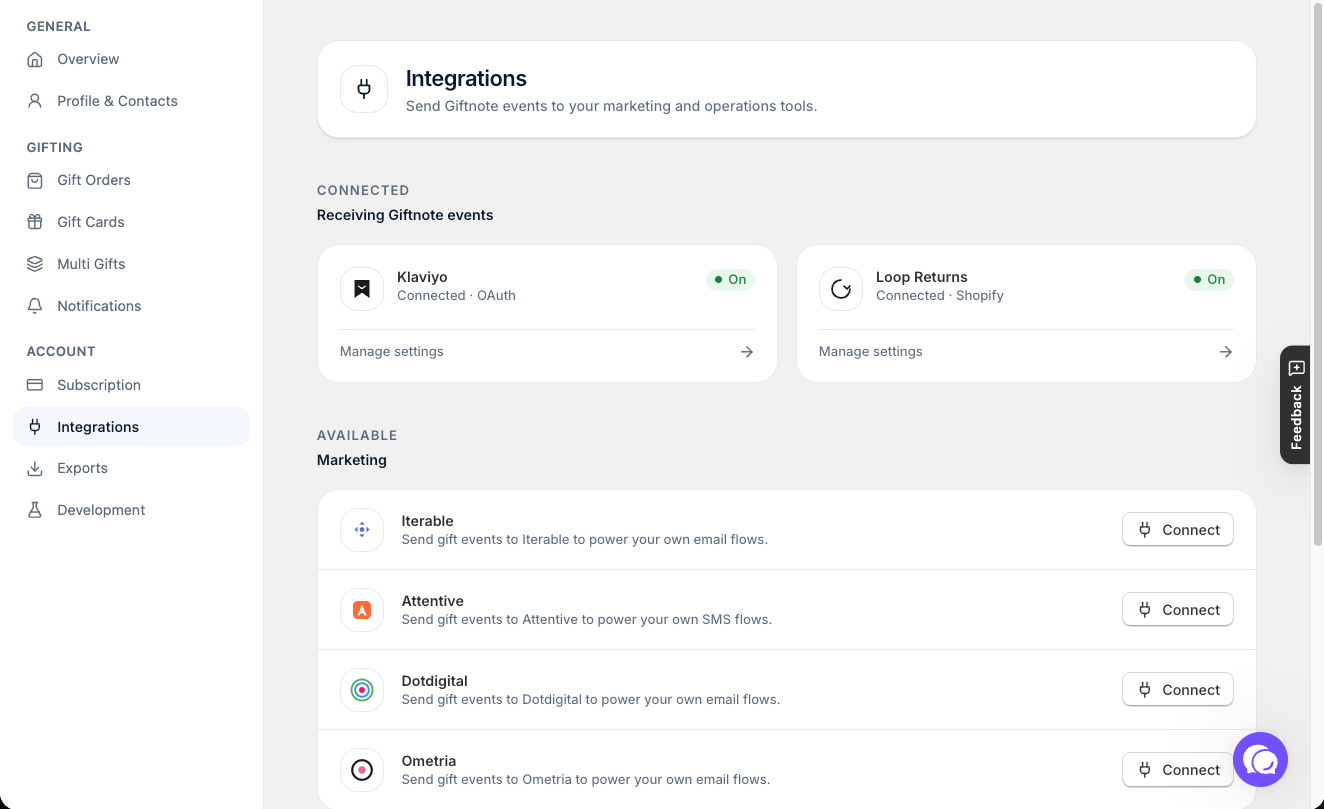
Your connected tools keep working after the September 2026 update. What changed is how much you control: you pick which events each tool receives, rename them, and test them from the app. If you use Klaviyo, read the note on event names below.
The lineup
For marketing, Giftnote connects to Klaviyo, Iterable, Attentive, Dotdigital and Ometria. For operations, it connects to Loop Returns, Rebuy and Shopify Flow. Connect or set up any of them in Settings → Integrations.
The Yotpo Email integration has been retired and is no longer supported. If you used it, see Yotpo Email has been retired for what to switch to.
Every gift moment is an event
Giftnote sends a separate event for each gift moment. For gift orders these are Placed Gift Order, Gift Order Delivered and Received Gift Order. Gift cards have their own, such as Redeemed Gift Card. On each integration's settings page, choose which events it receives and rename them to match your flows.
Klaviyo users: Placed Gift Order now replaces the old Giftnote - Order Scheduled and Giftnote - Order Tracked events, with a Delivery Method property (Send Now, Send Later, On Delivery or On Fulfillment). If you connected Klaviyo before the September update, Giftnote still sends the old metric names too, so your existing flows keep running. Build anything new on the new names, and move your old flows across when you're ready with Migrating your Klaviyo flows to the new Giftnote integration.
Control each channel
In Settings → Notifications → Events, events are grouped by category (Gift Orders, Gift Cards and Multi Gift). Each event lists its channels: email, SMS for the recipient's gift message, and your connected integrations. SMS depends on your plan.
Test before you rely on it
The Klaviyo, Iterable, Attentive and Ometria settings pages have a Test button for each event and a Test All button. Each email template has a "Send test" option, so you can see what a customer will receive before you turn it on.
Related articles
Was this helpful?
Still need help? Share an idea