5. Multi-gift and your gifting storefronts
What's changed for Multi Gift: bigger campaigns, Shopify tax, approvals in the app, addressless gifting, up to three storefronts and custom domains.
Written By Giftnote Team
Last updated 6 days ago
Multi-gift and your gifting storefronts
Multi Gift lets one customer send gifts to lots of recipients in a single order, such as a company thanking its staff. Multi Gift is on the Professional plan. The September 2026 update made campaigns bigger, gave you up to three storefronts, and moved several settings into each storefront. Check each storefront's Form tab, because the old shop-wide order form is gone.
Bigger campaigns
Up to 1,000 recipients per spreadsheet upload.
Tax from Shopify. TaxJar is retired. Giftnote uses the tax Shopify calculates from your store's tax settings, so tax lines may look slightly different from before.
One family code. Every order in a campaign carries a shared code, so you can find the whole campaign with one search in Shopify.
Cancel cleanly. Cancel a whole campaign or one recipient, and Giftnote tidies up the related orders.
Free gifts for every recipient. A gift with purchase lands on each recipient's order, not only the main one.
Optional approval. To review recipient orders before Giftnote creates them, turn on Require your approval before recipient orders are created in Settings → Multi Gifts → Settings. It's off unless you turn it on. When an order is held, approve or deny it in the Shopify app. Claim emails wait until you approve.
Your gifting storefronts
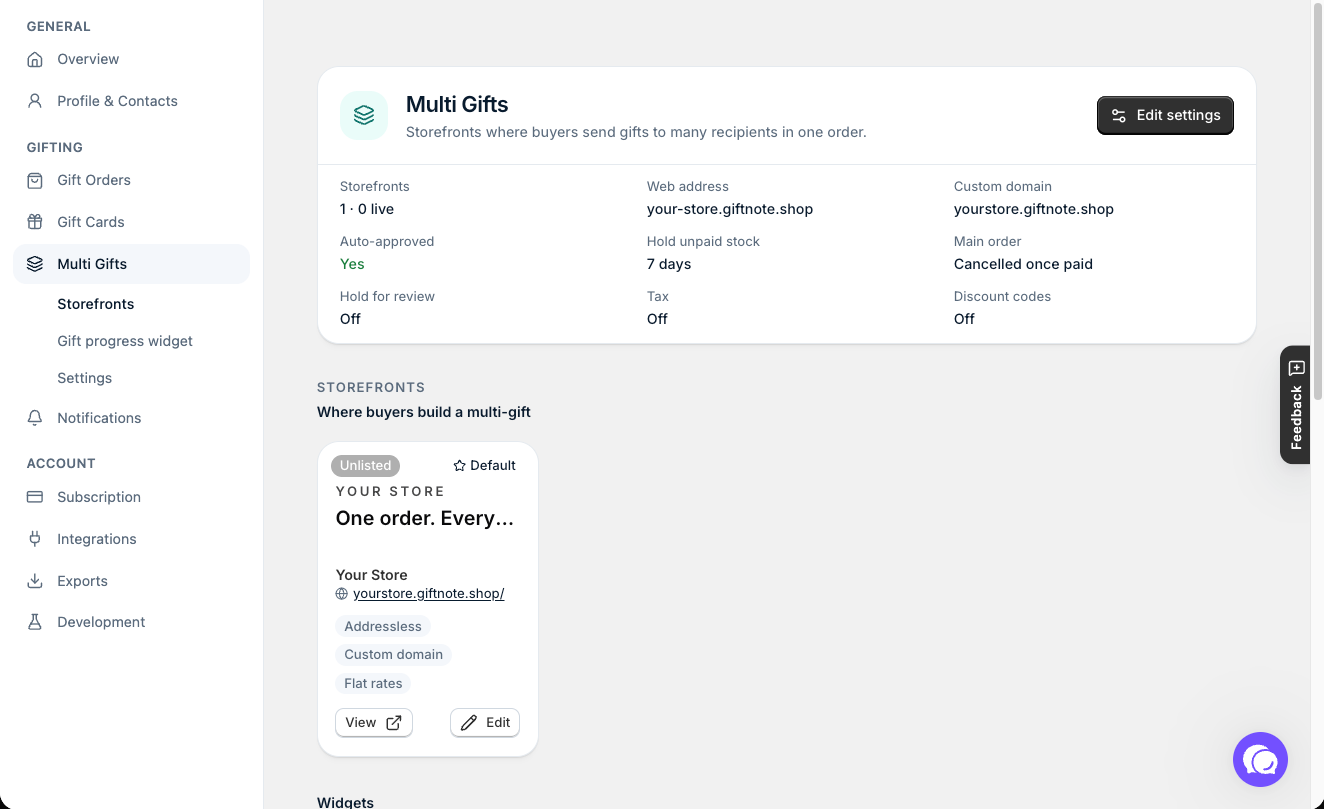
A storefront is the branded page where a customer builds their multi-gift order. You can run up to three storefronts, each with its own name, branding, pricing and products. Set them up in Settings → Multi Gifts.
Custom domains. Give your shop its own web address in Settings → Multi Gifts → Settings, under Web address: choose Use a free giftnote.shop address or Use my own domain. One custom domain covers the whole shop. Your default storefront opens at it, and every other storefront opens at a sub-path of it. If you set up your own subdomain before September 2026, it keeps working. See How to Set Up Your Custom Gifting Subdomain.
Save and come back. A customer can reopen a draft order on any device.
Free shipping by spend. Set spending thresholds that make shipping free or upgrade a chosen rate.
Choose the products. Limit a storefront to a main collection plus extra collections, and optionally track live stock from Shopify.
Upsells. Offer an upsell collection in the cart or on the order.
Charge for the service. On a storefront's Pricing tab, add an order fee (a percentage or a flat amount), an optional message fee, and order minimums (order total, per-recipient cart, or number of recipients).
Addressless gifting (new). Buyers add recipients with just a name and email, and each recipient claims their gift and enters their own shipping address. Your customer pays up front, and the real shipping and tax are charged once recipients add their address. Set how many days recipients have to claim in your Multi Gift settings. See Addressless gifting: let recipients add their own address.
Help buyers find it, and follow along
Multi Gift button. In Settings → Multi Gifts, add the Send to multiple recipients button to your product page or cart page with Open in Shopify. It sends shoppers to your storefront. To link to your storefront from anywhere else, use Copy link for the Multi Gift Redirect link.
Gift progress after checkout. The Gift progress widget shows buyers their order's status and number of recipients on the thank-you and order status pages. Set its wording in Settings → Multi Gifts → Gift progress widget.
Your Multi Gift rate is shown on Settings → Subscription.
Related articles
Was this helpful?
Still need help? Share an idea